Open Today Sales: 8:30 AM-5 PM


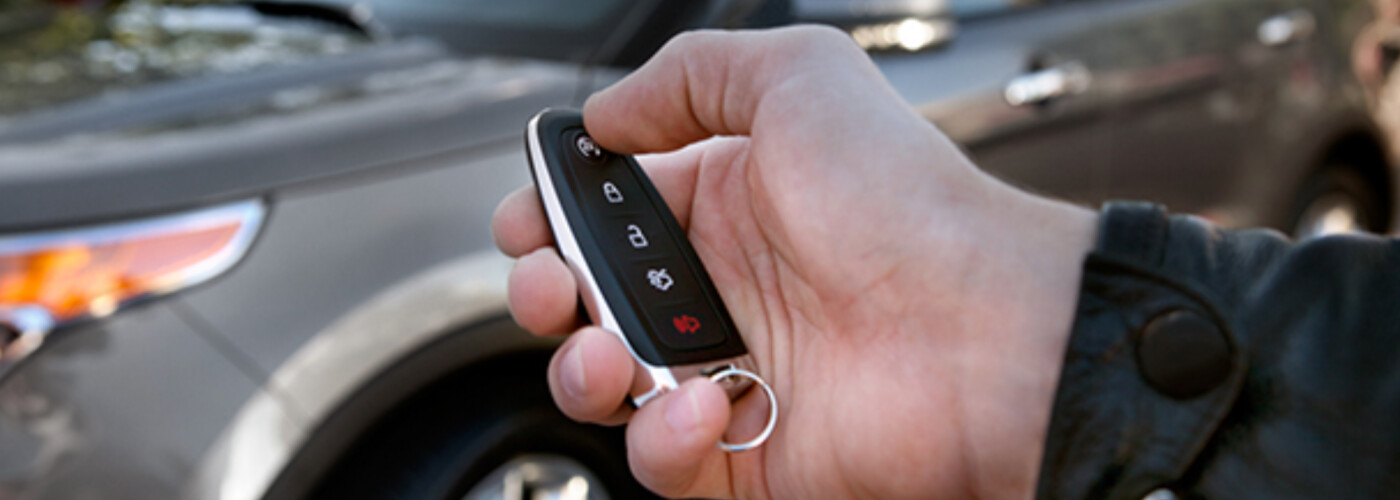
Whether you recently got replacement car keys or you’re adding new ones for additional drivers, you may be wondering how to program a Ford key fob. Since many new Ford models come with a remote key fob like Ford MyKey for more convenient access, they require Ford key fob programming in order to function as expected. The Ford key fob programming process is quite simple, especially if you follow these directions from Sam Leman Ford. Normal and Decatur Ford owners should check out our guide below!
If you just replaced your Ford Key fob in Decatur, and you’re wondering about the steps of programming a key fob for your Ford, they’re fairly straightforward. Just follow these instructions on how to program a Ford key fob:
Whether you’re selling your vehicle or exchanging your Ford key with a new teen driver, there are many reasons you might want to disable your programmed Ford key. To do so, the vehicle needs to be started with your main admin key or admin key fob. After doing so, you’ll just need to follow the step-by-step instructions below to clear your programmed keys’ settings and return each key to its original “admin key” status:
While learning how to program a Ford Key fob is great, sometimes you need a fresh Ford key fob battery replacement. If your Ford key fob is unresponsive, you’re likely dealing with a dead battery. It’s a good idea to check the battery before going for a full-blown fob replacement. Replacing a key fob is not only more expensive, but you’ll likely need to learn how to program a key fob for Ford all over again.
If you want to regain the controls from your Ford key fob programming, you’ll need a CR2032 3V battery and a bit of patience. While you can learn how to take on a Ford key fob battery replacement by prying apart the fob, many of our customers find it easier to let our experts handle the task. Our team can quickly set you up with a fresh battery and walk you through how to program a key fob for Ford so you can get back to your Normal commute.
Interested in learning more about different types of Ford technology? Having trouble understanding the process of how to program a Ford key fob? Either way, make sure to get in touch with Sam Leman Ford near Champaign for assistance! If you’re interested in a remote start key fob, keyless entry pad, or any other range of amenities and technologies, make sure to check out our catalog of Ford accessories. We’re here to help you learn how to program a key fob for Ford and so much more!
Capable and spacious, the 2026 Ford Explorer is an adventure-ready SUV that doubles as your daily commuter. Discover its exterior and interior dimensions with Sam Leman Ford.
Many Normal adventurers come to us when they’re searching for a new vehicle. If you’re tired of your ride and want to start looking for something more exciting, we offer a seamless trade-in process and an impressive selection of models to explore at Sam Leman Ford. One of our most popular options is the highly versatile…
The 2026 Ford Bronco continues to be a top pick in Bloomington and beyond with its rugged performance, iconic style, and diverse range of adventure-ready configurations. Whether you’re a weekend trail warrior looking to conquer off-road obstacles or you simply want a head-turning, highly capable SUV for your daily drives, there’s a Bronco model…

